
Wi-Fi 7 vs. Good Engineering: What Actually Matters in a Smart Home Network
Wi-Fi 7 makes headlines, but premium projects win on design: cabling, AP placement, segmentation, and PoE. A practical guide for smart homeowners in Ecuador.
Wi-Fi 7 vs. Good Engineering: What Actually Matters in a Smart Home Network
Every new Wi-Fi standard arrives with a promise of “everything faster and more stable.” Wi-Fi 7 (802.11be) is no exception. But in the real-world experience of residential projects in Ecuador, the bottleneck is rarely the wireless standard version.
What determines whether a smart home network performs well or poorly is network design: how many access points are installed, how they’re distributed, whether the cabling is properly done, and whether devices are correctly segmented.
The 4 Factors That Determine Real Experience
Before evaluating Wi-Fi 7, Wi-Fi 6, or any standard, these are the variables that most affect the experience in a smart home:
1. Access Point Location and Count
The most common mistake: one powerful router/AP for the entire home. An AP on the ground floor doesn’t cover bedrooms on the second floor, the garage, the terrace, or the garden well.
The general rule: 1 AP per 650-800 sq ft of effective area, ceiling-mounted for 360° coverage. A 3,000 sq ft home needs 4-5 APs, not 1.
The most powerful consumer router available still can’t overcome concrete slab attenuation between floors or the physics of signal propagation through masonry walls. You fix dead zones with design — more APs in the right places — not by upgrading to the latest standard.
2. Cat6A Cabling to Each AP
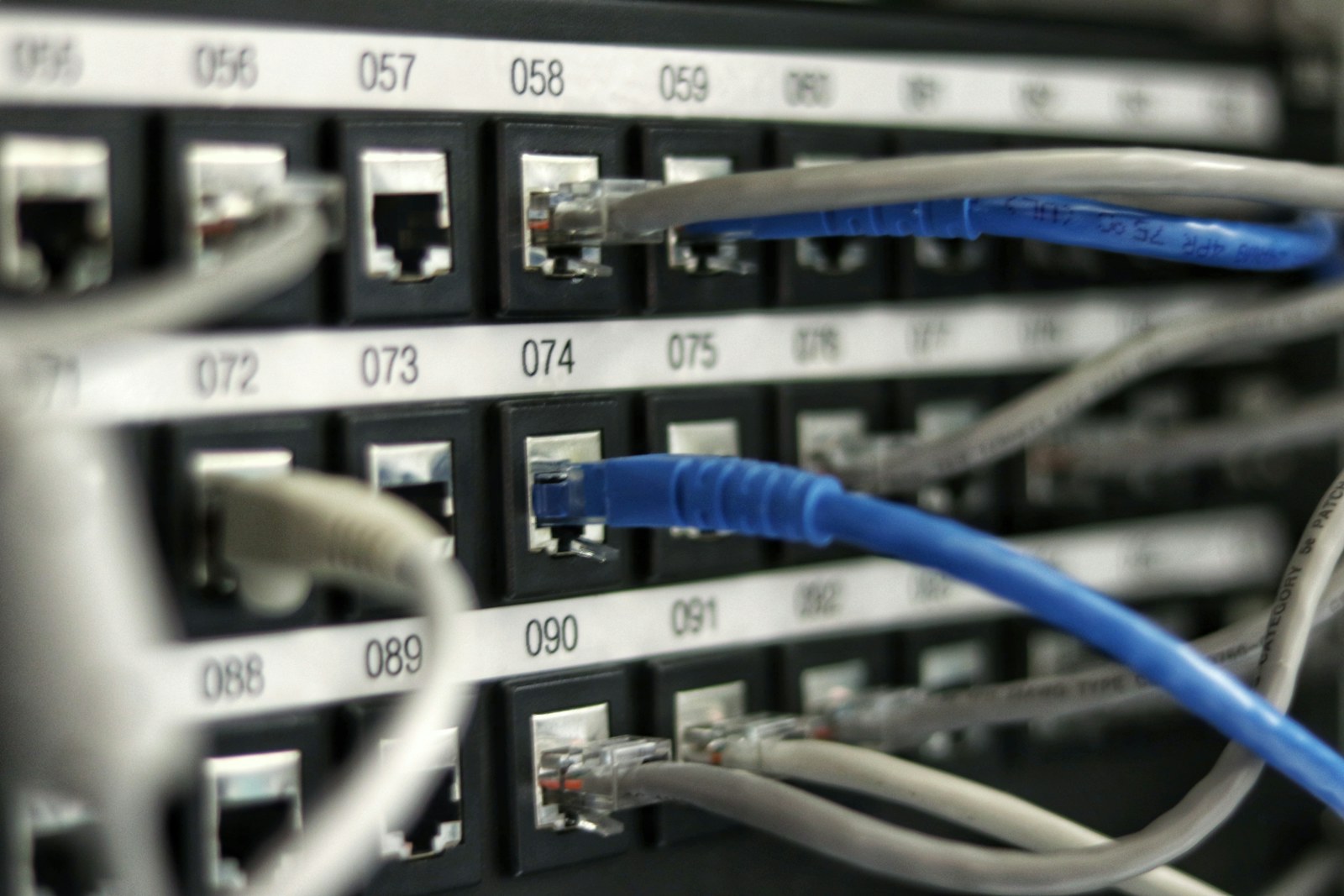
Cat6A is the connection between the technical rack’s switch and each AP. This connection determines the speed ceiling of each AP and its stability.
Without Cat6A: the AP needs to use its antenna to communicate with the router (wireless backhaul mode), which cuts available bandwidth for client devices roughly in half.
With Cat6A: the AP communicates with the switch at 1 Gbps or 2.5 Gbps, and its full wireless capacity is available for client devices.
The right time to run Cat6A to each AP location is during construction, before ceilings close. Retrofitting these runs after finishes can cost 5-10x more than doing it during the build.
3. Logical Segmentation (VLANs)
Without segmentation, every device competes for the same network “lane” — the homeowner’s MacBook shares infrastructure with security cameras, Tuya smart bulbs, and the kids’ iPad. The result is IoT traffic that can saturate the network and insecure devices that have access to personal data.
With properly configured VLANs:
- Control4 and audio devices have network priority (QoS)
- Cameras and IoT devices are isolated on their own network
- Guests access the internet without touching the internal network
- A compromised cheap IoT device doesn’t expose personal data
The VLAN structure for a premium smart home typically looks like:
| VLAN | Devices | Internet | Local Access |
|---|---|---|---|
| Primary | Personal computers, phones | Yes | Full |
| IoT/Smart Home | Control4, sensors, bulbs | Limited | Restricted |
| Security | Cameras, NVR | No | NVR only |
| Guest | Visitor devices | Yes | None |
| AV | Sonos, Apple TV, streaming | Yes | Restricted |
4. Interference and Building Materials
Wall materials dramatically affect Wi-Fi signal propagation:
- Metallic-coated glass (common in energy-efficient windows): attenuates up to 40 dB
- Reinforced concrete walls: attenuates 15-20 dB
- Concrete slabs between floors: attenuates 15-25 dB
- Drywall: attenuates only 3-5 dB
In homes with heavy construction (concrete, metallic glass), the network design needs to be denser (more APs) to compensate. This is a design parameter, not a hardware spec problem.
Wi-Fi 7: When It Actually Adds Real Value
Wi-Fi 7 introduces genuine technical improvements that have impact in specific scenarios:
Multi-Link Operation (MLO): a compatible device can maintain simultaneous connections on multiple bands (2.4 GHz, 5 GHz, and 6 GHz). If one band has congestion, the device can automatically redirect traffic to another band with better availability.
320 MHz channel width: doubles Wi-Fi 6’s maximum channel width (160 MHz), allowing theoretically higher speeds in ideal environments.
Reduced latency: protocol improvements reduce latency for time-sensitive applications like automation control and real-time cameras.
When it actually matters: in a home with 80+ simultaneously active devices, or when there’s 4K video traffic in multiple parallel streams, Wi-Fi 7 can make a measurable difference. For most homes in Ecuador in 2026, Wi-Fi 6 is still sufficient if the network design is correct.
Field Mistakes We See Regularly
One AP for three floors: “the router is very powerful.” Power doesn’t solve concrete slab attenuation. You need APs on each floor or at least in strategic positions.
IoT without VLANs: cheap cameras, unknown-brand sensors, and Tuya devices mixed with the personal network. High security risk and network saturation potential.
Rack without ventilation: the switch, router, and other active equipment generate heat. A poorly ventilated rack in Guayaquil’s climate can cause thermal shutdowns in critical equipment — often at the worst possible moment.
Upgrading the standard without upgrading the design: buying a Wi-Fi 7 AP to replace the ISP’s router without adding additional APs. The result is a more expensive AP with the same dead zones.
Wi-Fi 6 or Wi-Fi 7 for Your Project?
The 2026 recommendation:
Wi-Fi 6 (802.11ax): for the vast majority of residential projects in Ecuador. Mature, well-supported by all current devices, excellent quality-to-price ratio in professional APs. The right call for most new builds and retrofits.
Wi-Fi 6E: when the project has many high-density devices or needs the 6 GHz band for specific applications.
Wi-Fi 7: for new projects with 80+ devices, high-demand workspace environments, or when specific hardware offers concrete advantages for Control4 in that project.
In any case: the investment in a second (or third) well-placed AP delivers more real-world improvement than upgrading from Wi-Fi 6 to Wi-Fi 7 with the same number of APs.
Is your home network ready for the load of a smart home? Contact us for a network infrastructure evaluation for your project in Ecuador.